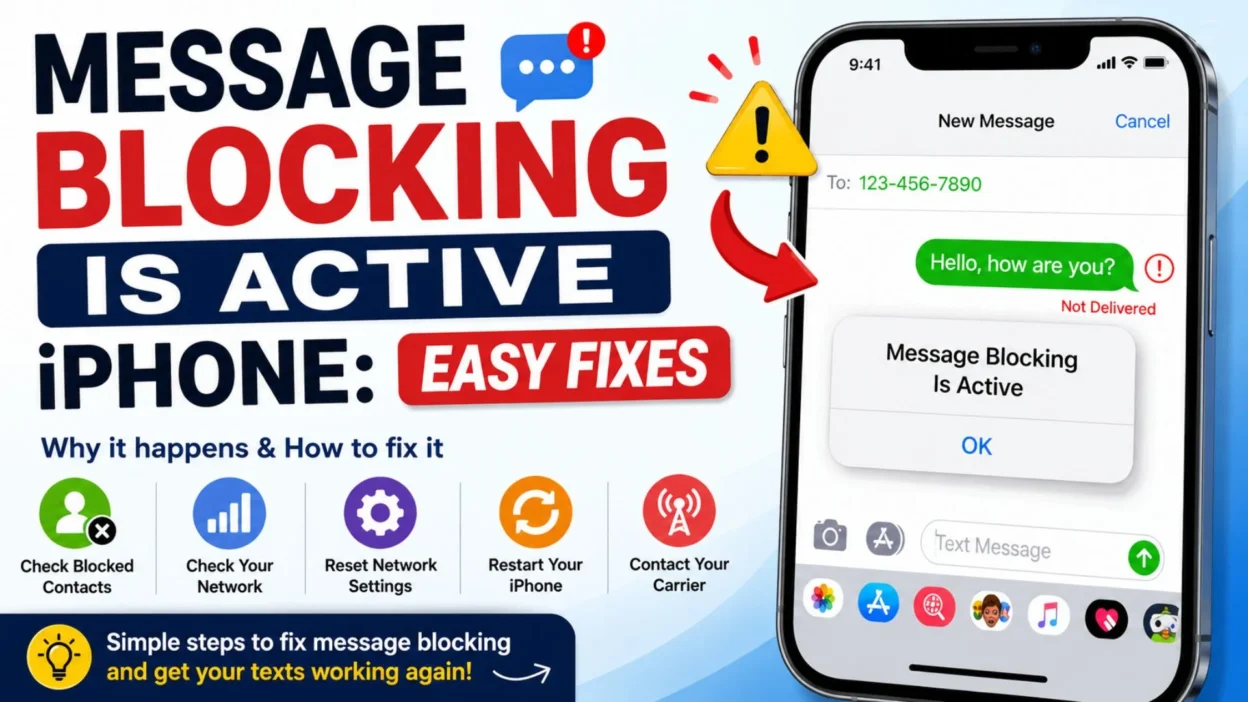
Few things are more frustrating than trying to send a simple text and suddenly seeing the “message blocking is active” on iPhone error. You may have a strong cellular signal, an active phone plan, and a perfectly normal conversation, yet the message still refuses to send. Naturally, you may wonder whether the problem is your iPhone, your carrier, or the person you are trying to contact.
The good news is that this error does not always mean something is seriously wrong with your phone. It can appear because of blocked numbers, carrier restrictions, account problems, messaging settings, or temporary network issues. Sometimes, a quick restart is enough to get messages working again. In other cases, you may need to check your blocked contacts or contact your carrier.
This guide explains the common causes and practical ways to fix message blocking is active on iPhone, so you can get back to texting without unnecessary frustration.
Top Message Blocking Is Active iPhone Fixes
Start with the simplest solutions first. A basic settings check or restart can sometimes clear a temporary messaging problem.
- Restart your iPhone and try sending the message again.
- Check whether Airplane Mode is turned on accidentally.
- Turn Airplane Mode on for a few seconds, then turn it off.
- Make sure your iPhone has a working cellular connection.
- Check whether you can make a regular phone call.
- Try sending a message to a different contact.
- Check whether the recipient’s number is entered correctly.
- Look through your blocked contacts and make sure the recipient is not blocked.
- Check whether your cellular plan is active.
- Contact your carrier if the error continues after basic troubleshooting.
Short Message Blocking Is Active iPhone Checks
These quick checks can help you identify whether the problem comes from your iPhone, your network, or one specific contact.
- Is your cellular service active?
- Is Airplane Mode turned off?
- Is the recipient’s number correct?
- Is the recipient blocked?
- Can you send texts to other people?
- Can you make phone calls normally?
- Does the problem happen with SMS, iMessage, or both?
- Did the problem begin after changing SIM cards?
- Did you recently switch carriers?
- Does restarting the iPhone change anything?
- Is your carrier account in good standing?
- Does the error appear with one contact or everyone?
Best Message Blocking Is Active iPhone Troubleshooting Steps
When the error keeps appearing, work through these solutions one at a time. Doing several changes at once can make it harder to determine what actually solved the problem.
Check Your Blocked Contacts
One of the first things to check is whether the person you are trying to text has been blocked.
Open your iPhone’s phone or messaging-related settings and review your blocked contacts. If the recipient appears there, unblock the number and try sending the message again.
This is especially worth checking if you can text other people normally but messages fail with only one person.
Restart Your iPhone
A restart sounds simple, but it can resolve temporary cellular and messaging glitches.
Turn your iPhone off, wait briefly, and turn it back on. Once the cellular connection returns, open Messages and try sending the text again.
If the error disappears after restarting, the problem may have been a temporary connection or software issue.
Check Your Cellular Signal
The message blocking is active iPhone error can sometimes appear when your phone is having trouble connecting to the cellular network.
Look at the signal indicator and move to an area with better coverage if necessary. If you have little or no service, wait until the connection improves before trying again.
You can also briefly enable and disable Airplane Mode to refresh the cellular connection.
Test Another Contact
Try sending a message to someone else.
If the second message goes through, your iPhone and cellular service may be working normally. The issue could instead involve the original recipient, their number, or a restriction affecting communication between the two numbers.
On the other hand, if messages fail for everyone, the problem is more likely related to your device, carrier account, SIM, or network service.
Check Whether You Can Make Calls
Your ability to make a normal phone call can provide a useful clue.
If calls also fail, your cellular service may be experiencing a broader problem. Your carrier account could also have a restriction that affects both calling and texting.
If calls work normally but SMS messages do not, focus your troubleshooting on messaging settings and carrier texting services.
One-Line Message Blocking Is Active iPhone Solutions
Keep these quick reminders handy when you are troubleshooting the error.
- Restart your iPhone before trying complicated fixes.
- Check blocked numbers first if only one contact is affected.
- Test another contact to identify whether the issue is specific to one number.
- Make sure your cellular plan is active.
- Turn Airplane Mode off and refresh your connection.
- Check your signal before assuming your iPhone is broken.
- Try sending an SMS after checking your messaging settings.
- Contact your carrier if the problem affects every text.
- Check your SIM or cellular connection after switching carriers.
- Do not assume the recipient blocked you just because the error appears.
Why Does Message Blocking Is Active iPhone Appear?
The error can have several causes, which is why one solution does not work for everyone.
Sometimes, the issue is connected to your carrier rather than the iPhone itself. Your account may have a texting restriction, an inactive service, or another carrier-side problem.
In other situations, the problem can be much simpler. The recipient may be blocked, the number may be incorrect, or your phone may temporarily have trouble connecting to the cellular network.
- A contact may be blocked.
- Your carrier may have restricted SMS messaging.
- Your cellular account may be inactive or have an account-related issue.
- Your phone may have weak or unavailable cellular service.
- Your SIM or cellular connection may have a temporary problem.
- You may have recently changed carriers or phone numbers.
- The recipient’s number may be entered incorrectly.
- A temporary network outage may be affecting texting.
- Messaging settings may need to be refreshed.
- The issue may affect only SMS rather than iMessage.
The most useful clue is whether the problem happens with one person or everyone. If only one recipient is affected, investigate that contact and number first. If every outgoing text fails, your carrier or cellular service deserves more attention.
Is It an iPhone Problem or a Carrier Problem?
It is not always easy to tell at first. However, a few simple tests can help narrow it down.
If your iPhone has good cellular service, calls work, and you can message some contacts but not another, the problem may be specific to that number or contact.
If you cannot send messages to anyone and calling is also affected, your carrier connection may be the more likely source.
Likewise, if you recently changed your SIM, switched carriers, changed your phone number, or activated a new plan, account or carrier settings deserve extra attention.
The key is to avoid assuming that the message blocking is active iPhone alert automatically means your iPhone is damaged. In many cases, the phone itself is working normally.
How to Fix Message Blocking Is Active on iPhone
Once you know whether the problem affects one person or every contact, troubleshooting becomes much easier. Work through these practical fixes without changing too many settings at once.
Check Whether the Contact Is Blocked
- Open your iPhone settings and look for the section related to blocked contacts.
- Review the blocked list carefully.
- If the person’s number appears there, remove it from the blocked list.
- Return to Messages and try sending the text again.
- If the message sends normally afterward, the block was likely causing the problem.
Verify the Phone Number
- Open the conversation with the person who cannot receive your message.
- Check that the phone number is complete and correct.
- Make sure there are no unnecessary characters or missing digits.
- If the person recently changed their number, ask them to confirm it.
- Try creating a new message instead of replying to an old conversation.
- If the new message works, the old conversation may have contained outdated contact information.
Turn Airplane Mode On and Off
- Open Control Center on your iPhone.
- Turn Airplane Mode on.
- Wait several seconds.
- Turn Airplane Mode off again.
- Give your iPhone a moment to reconnect to the cellular network.
- Open Messages and try sending the text.
- This simple connection refresh can help when the cellular network temporarily stops responding correctly.
Restart Your Cellular Connection
- Move to an area where you normally receive a strong signal.
- Turn Airplane Mode on briefly.
- Turn it off and wait for the cellular signal to return.
- Check whether the signal indicator looks normal.
- Try making a phone call.
- Then send a text message to test the connection.
Check Your Cellular Plan
- Confirm that your mobile service is currently active.
- Check whether your account has any restrictions.
- Make sure a recent payment or account change has not interrupted service.
- If you recently changed plans, verify that SMS messaging is included.
- Contact your carrier if you are unsure whether texting is enabled.
- Ask whether there is an SMS restriction on your account.
Message Blocking Is Active iPhone After Switching Carriers
Changing carriers can sometimes create unexpected messaging problems. If the error started soon after moving your number to a new provider, the carrier account deserves attention.
- Confirm that your new SIM or eSIM is activated.
- Make sure the correct cellular line is enabled.
- Check that your phone number appears correctly in your cellular settings.
- Restart the iPhone after activation.
- Test both phone calls and text messages.
- Ask your new carrier whether SMS service is fully activated.
- Explain that outgoing messages are showing a message-blocking error.
- Ask the carrier to check for account-level SMS restrictions.
- If you recently transferred your number, ask whether the number port has completed successfully.
- Follow any activation steps provided by your carrier.
Message Blocking Is Active iPhone After Changing SIM
A SIM change can also create confusion if the new cellular service has not been fully configured.
- Make sure the SIM is properly installed if you are using a physical SIM.
- If you use an eSIM, confirm that the cellular line is active.
- Check whether the correct phone number is associated with the line.
- Restart your iPhone after making changes.
- Test your cellular data connection.
- Make a regular phone call.
- Send a message to more than one contact.
- If calls work but texts do not, contact your carrier about SMS activation.
- Avoid repeatedly removing and reinstalling a physical SIM unless your carrier recommends it.
Check Whether iMessage Is Working
Sometimes people assume every message sent through the Messages app is handled in exactly the same way. However, iMessage and SMS can behave differently.
- Check whether the problem occurs with iMessage conversations.
- Try communicating with another iPhone user.
- Check whether your internet connection is working.
- If iMessage works but SMS does not, your cellular texting service may need attention.
- If both types of messages fail, investigate your network connection and carrier service.
- Do not assume that an iMessage problem automatically means SMS is blocked.
- Test each messaging method separately when troubleshooting.
What If You Can Text Everyone Except One Person?
This situation provides an important clue.
If you can successfully text other people but one particular contact always produces the message blocking is active iPhone error, the issue may be connected to that specific number or contact.
- Check whether you accidentally blocked the contact.
- Confirm that the person’s current phone number is correct.
- Delete outdated contact information if necessary.
- Start a new message using the confirmed number.
- Ask the person whether they recently changed carriers or phone numbers.
- Check whether they can receive messages from other people.
- Try calling the person if calling works.
- Avoid immediately assuming that the other person blocked you.
- If everything looks correct on your side, ask your carrier whether there is a messaging restriction involving the number.
What If You Cannot Text Anyone?
When every outgoing message fails, the problem is less likely to be limited to one contact.
- Check your cellular signal.
- Turn Airplane Mode on and off.
- Restart your iPhone.
- Confirm that your cellular plan is active.
- Check whether calls work.
- Test your cellular data connection.
- Review your messaging settings.
- Check whether your SIM or eSIM is active.
- Try sending a message after reconnecting to the cellular network.
- Contact your carrier if the problem continues.
Best Messages to Send When Texting Is Not Working
Sometimes you need to let someone know that your messages are failing. These simple alternatives can help you explain the situation.
- “My texts aren’t going through right now, so I wanted to let you know.”
- “My phone is having trouble sending messages. I’ll try again soon.”
- “If you don’t receive my text, please know I’m trying to reach you.”
- “My messaging seems to be blocked at the moment. Can you call me?”
- “I’m having an issue with SMS right now. Please contact me another way.”
- “My texts aren’t sending, so I’m reaching out here instead.”
- “I’m troubleshooting my phone because my messages aren’t going through.”
- “If you’re waiting for my reply, I’m not ignoring you. My texts are failing.”
- “My phone is giving me a messaging error. I’ll get back to you as soon as I can.”
- “Texting isn’t working properly for me right now. Please call if it’s urgent.”
Common Mistakes When Fixing Message Blocking Is Active iPhone
It is easy to make troubleshooting more complicated than it needs to be. Start with basic checks before changing advanced settings.
- Do not assume the iPhone is broken immediately.
- Do not repeatedly change settings without testing the result.
- Do not assume the recipient blocked you based only on the error.
- Do not ignore your cellular account status.
- Do not forget to test another contact.
- Do not overlook a recent SIM or carrier change.
- Do not rely only on Wi-Fi when troubleshooting SMS.
- Do not confuse an internet connection problem with a cellular SMS problem.
- Do not repeatedly restart the phone without checking whether the issue affects one contact or everyone.
- Do not hesitate to contact your carrier when the problem appears to be account-related.
When Should You Contact Your Carrier?
If you have restarted your iPhone, checked the contact, confirmed your cellular service, and tested several numbers, it may be time to contact your carrier.
- Contact your carrier when every SMS message fails.
- Contact them if your cellular service is inactive.
- Ask for help if calling works but SMS remains blocked.
- Contact support after switching carriers if messaging stopped working.
- Ask about SMS restrictions on your account.
- Ask whether there is a network outage affecting your area.
- Explain exactly when the problem started.
- Tell them whether the error appears with one contact or all contacts.
- Mention any recent SIM, eSIM, phone number, or plan changes.
- Follow the carrier’s troubleshooting instructions before making additional changes.
Quick Checklist for Message Blocking Is Active iPhone
Use this checklist when you want to troubleshoot the problem without going through a long process.
- Check your cellular signal.
- Turn Airplane Mode off.
- Refresh the cellular connection.
- Restart your iPhone.
- Check the recipient’s number.
- Review blocked contacts.
- Try another contact.
- Test a phone call.
- Confirm your cellular plan is active.
- Check your SIM or eSIM.
- Test iMessage separately from SMS.
- Think about any recent carrier changes.
- Contact your carrier if the error continues.
A Simple Way to Narrow Down the Problem
The fastest approach is to test one thing at a time.
- If one person cannot receive your messages, check that contact and number first.
- If everyone cannot receive your messages, investigate your cellular service and carrier account.
- If calls and texts both fail, focus on your cellular connection or carrier service.
- If iMessage works but SMS does not, investigate your SMS and cellular service.
- If calls work but SMS fails, ask your carrier about texting restrictions.
- If the problem started after switching carriers, contact the new carrier about activation and SMS service.
- If the problem started after changing SIMs, verify that the new cellular line is active.
- If a restart temporarily fixes the issue, monitor whether the problem returns.
The goal is not to change every setting on your iPhone. Instead, identify the smallest clue that separates a contact problem from a device, network, or carrier problem.
Best Message Blocking Is Active iPhone Captions
These short captions are useful when you want to explain a messaging problem without getting too technical.
- “My iPhone is blocking messages today. Technology wins again. 📱”
- “When your text says ‘message blocking is active’ and suddenly you become a detective.”
- “Trying to text, but my iPhone has other plans.”
- “Apparently, sending one simple text is too much to ask today.”
- “My messages are stuck somewhere between sent and never.”
- “When restarting your phone becomes part of your daily routine.”
- “Texting problems: because apparently life needed another challenge.”
- “My phone and my messages are currently not on speaking terms.”
- “Just when I thought texting was the easy part.”
- “One tiny messaging error, one very confused iPhone user.”
Copy-Paste Ready Messages for Technical Problems
If you need to tell someone that you cannot text normally, these messages are ready to send through another communication method.
- “Hey, my iPhone is showing a message-blocking error, so my texts may not be reaching you.”
- “I’m having trouble sending SMS messages right now. Please call me if you need me.”
- “My messages aren’t going through at the moment. I’m trying to fix the issue.”
- “If you haven’t received my texts, it’s because my phone is having a messaging problem.”
- “I’m not ignoring your messages. My iPhone is currently giving me a blocking error.”
- “My texting service seems to be having an issue. I’ll message you when it’s working again.”
- “Please use another way to reach me for now because my texts aren’t sending.”
- “My phone is showing ‘message blocking is active,’ so I’m troubleshooting it now.”
- “I wanted to let you know that my messages may not be going through.”
- “My SMS service isn’t working correctly right now, but I’ll get back to you soon.”
What Does “Message Blocking Is Active” Mean on iPhone?
- The “message blocking is active” on iPhone alert generally means the message cannot be delivered because some form of messaging restriction or service problem is preventing it from being sent.
- The restriction may be related to your carrier account, cellular service, blocked contacts, number configuration, or another messaging issue.
- It does not automatically mean that your iPhone is damaged.
- It also does not automatically prove that the recipient blocked you.
- The most useful first step is to determine whether the error appears with one contact or multiple contacts.
- If only one person is affected, check the number and blocked-contact settings.
- If everyone is affected, check your cellular service and carrier account.
- If the issue began after a SIM, eSIM, phone number, or carrier change, investigate that change first.
Is Message Blocking Active an iPhone or Carrier Issue?
- It can be either.
- Your iPhone may have a temporary connection or messaging problem.
- Your carrier may also have an account-level restriction or SMS service issue.
- Testing another contact is one of the easiest ways to narrow down the cause.
- If other messages work normally, the problem may be specific to the original recipient.
- If no SMS messages work, your carrier or cellular service becomes more likely as the source.
- When basic troubleshooting does not help, your carrier can check restrictions that cannot be changed directly from the iPhone.
FAQ About Message Blocking Is Active iPhone
Why does my iPhone say message blocking is active?
- This message can appear when a text cannot be sent because of a blocking or service restriction.
- Possible causes include blocked contacts, carrier restrictions, account issues, cellular problems, or incorrect recipient information.
Does message blocking mean someone blocked me?
- Not necessarily.
- The alert alone does not prove that another person blocked your number.
- If you can text other people normally, check the affected contact’s number and your blocked-contact settings first.
How do I fix message blocking on my iPhone?
- Start with basic troubleshooting.
- Check the recipient’s number, review blocked contacts, confirm your cellular service is active, refresh your connection, and restart your iPhone.
- If messages still fail, contact your carrier.
Why can I call someone but not text them?
- Calling and SMS messaging can be affected by different services or restrictions.
- If calls work while SMS fails, your carrier may need to check your texting service or account.
Why does message blocking happen with only one person?
- When the problem affects only one contact, the number, contact settings, or communication between the two numbers may be involved.
- Check the number carefully and make sure neither side has an unintended block.
Final Thoughts on Message Blocking Is Active iPhone
- Seeing message blocking is active on iPhone can be frustrating, especially when you need to send an important text and have no idea why it will not go through.
- The good news is that you do not need to panic or assume your iPhone is broken.
- Start with the simple checks: confirm the number, review blocked contacts, check your cellular signal, refresh the connection, and restart the device.
- Then test another contact to determine whether the problem affects one person or everyone.
- If calls work but SMS does not, or if every outgoing text continues to fail, your carrier may need to check your account and messaging service.
- Most importantly, use the symptoms to narrow down the cause instead of changing every setting at once.
- Save this guide if you regularly depend on texting, because a small reminder can save time when the error appears again.
- Once you identify whether the problem is with the contact, iPhone, network, or carrier, finding the right solution becomes much easier.
- A frustrating message error does not have to ruin your day. With a few simple checks, you can often get back to normal texting and stay connected with the people who matter.

Ryan Mitchell is a professional content writer who specializes in creating heartfelt messages, wishes, greetings, and inspirational quotes for every occasion. He is passionate about helping readers express their thoughts and emotions through meaningful, engaging, and easy-to-share content.