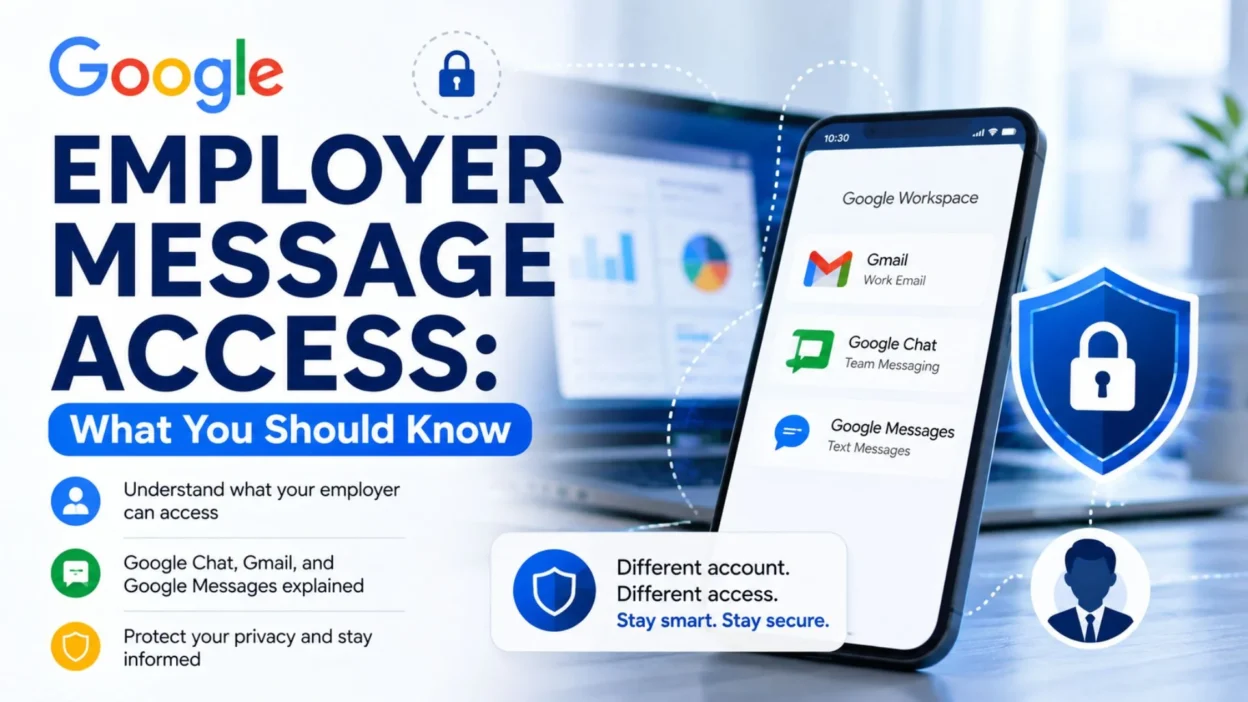
Wondering about Google employer message access can be confusing, especially when a work phone, work Google account, Gmail, Google Chat, and Google Messages are all involved. The answer depends heavily on which Google service you are using and whether the account is managed by your employer.
A personal Google account and an employer-managed Google Workspace account do not have the same privacy setup. Google explains that an administrator managing a work or school account may access and process data associated with that account, including the contents of communications.
At the same time, Google Messages is a separate messaging service with its own message-storage and app-permission controls. Simply having Google Messages on a phone does not mean that an employer automatically gets access to every personal conversation.
Understanding these differences can help you make sense of what your employer may be able to access and what remains separate.
What Does Google Employer Message Access Mean?
The phrase Google employer message access can refer to several different situations. For example, you might be wondering about messages in Google Chat, emails in a company Gmail account, or personal SMS and RCS conversations in Google Messages.
These services should not be treated as though they have identical privacy rules.
- Google Workspace: A company or school can manage accounts provided through Google Workspace. The administrator controls the account and can have access to associated data, depending on the organization’s setup and applicable services.
- Google Chat: Work or school organizations can control Chat settings, including conversation history and retention policies. Google says organizations determine retention policies for direct messages, group messages, and spaces created through work or school accounts.
- Gmail: If your Gmail address is an employer-managed Google Workspace account, it is part of the organization’s managed environment rather than being equivalent to a personal Gmail account.
- Google Messages: Google Messages is designed for mobile messaging and has separate controls for message access, permissions, and backups.
Because of these differences, the first question to ask is not simply whether your employer can access “Google messages.” Instead, identify which Google product contains the messages.
Can an Employer Access Google Chat Messages?
If you use Google Chat through a work or school Google Workspace account, your organization has administrative control over the service. Google specifically notes that organizations determine how Chat conversation history is handled for work and school accounts.
That means workplace Chat should generally be treated as organizational communication rather than the same as a private conversation in a personal account.
- Your organization may establish rules for how long Chat messages are retained.
- Different conversations can be subject to organizational retention policies.
- Google says that, starting May 1, 2025, certain one-to-one conversations involving work or school accounts can be affected by the message-history policy of the organization associated with the conversation starter.
- In some Google Workspace environments, administrators can also use organizational tools to manage or export data.
- Google states that a super administrator can download an organization’s Google Workspace data, subject to the relevant service and account setup.
So, if a message was sent through Google Chat using an employer-managed account, it is safer to assume that the communication may be subject to your organization’s policies.
Can an Employer Read Messages in a Work Gmail Account?
A work Gmail account is different from a personal Gmail account because the employer may control the Google Workspace account.
Google’s managed-account notice says an administrator can access and process data associated with the managed account, including communication contents. The administrator can also control access to Google services and may delete the managed account.
For that reason, employees should avoid assuming that a company-provided Gmail account has the same privacy expectations as a personal account.
- A company-managed Gmail account belongs within the organization’s Google Workspace environment.
- Administrators can manage user accounts and organizational settings.
- Mail delegation can also allow an authorized delegate to read, send, reply to, and delete messages when delegation has been configured.
- Your organization’s policies may determine how workplace email is retained or handled.
- The exact access available to administrators can vary according to the organization’s Google Workspace setup, privileges, policies, and applicable laws.
Does This Mean Employers Can See Personal Google Messages?
Not automatically.
Google Messages is a separate service from Google Chat and Google Workspace Gmail. Google explains that certain Google and third-party apps can access messages when you give them relevant permissions or when features such as backups and companion experiences require access.
Therefore, having Google Messages installed on a device used for work does not by itself establish that an employer can read all of your personal conversations.
The situation can become more complicated when the device itself is managed by an organization or when workplace management software, account policies, or other device controls are involved. In those cases, the employer’s device-management policy matters.
- A personal conversation in Google Messages is not the same thing as a message in Google Chat.
- A personal Google account is not the same as an employer-managed Google Workspace account.
- Phone permissions can affect which apps are allowed to access messages.
- Android backup and certain companion features can involve message access according to the settings and permissions you have enabled.
- Device-management rules may create additional considerations beyond Google’s messaging-service settings.
Google Messages vs. Google Chat
The names can make these services easy to confuse, but they serve different purposes.
Google Messages is Google’s mobile messaging app for SMS, MMS, and RCS messaging. It includes settings that let users manage which apps have access to their messages.
Google Chat, on the other hand, is a communication service commonly used within Google Workspace. Organizations can control its availability and settings for work or school accounts.
- Google Messages: Primarily mobile messaging, with SMS/RCS and related features.
- Google Chat: Workplace and personal chat service integrated with Google services.
- Work Gmail: Organization-managed email when provided through Google Workspace.
- Personal Gmail: A personal Google account rather than an employer-managed Workspace account.
This distinction is one of the most important things to understand when researching Google employer message access.
Understanding Google Employer Message Access
Can an Employer Access Google Messages on a Work Phone?
A work phone can create extra privacy questions. However, the phone itself does not give an employer automatic access to every message.
Google Messages has its own controls for message storage and app access. Your employer may also manage the device through workplace policies. Therefore, you should check your organization’s rules before using a work phone for personal conversations.
If your employer provides the phone, the company may install device-management tools. Those tools can control certain settings or security features. However, installing Google Messages alone does not give your employer automatic access to every personal conversation.
Google explains that message access in Google Messages depends on features such as permissions, storage, backups, and companion apps.
Keep these differences in mind:
- A work Google account belongs to a managed Workspace environment.
- A personal Google account remains separate from your work account.
- Google Chat follows organization-level history and retention settings.
- Google Messages uses separate messaging and permission controls.
- A work device may include additional company management settings.
So, always consider both the Google account and the device when you think about employer message access.
What If You Use a Personal Google Account on a Work Device?
A personal Google account does not automatically become a company account when you use it on a work device.
However, the device still belongs to the organization. As a result, workplace policies may apply to your activity on that device.
Google’s managed-account guidance explains that administrators manage work or school accounts and their associated data. Depending on the setup, administrators can access and process communication content within those managed accounts.
Therefore, separate these two questions:
Who controls the account? Your personal Google account and your employer’s Google Workspace account have different administration arrangements.
Who controls the device? Your employer may manage a company-owned phone or computer, even when you use a personal account.
For that reason, avoid assuming that a personal account gives you the same privacy as a personal device. Instead, review your organization’s device and acceptable-use policies.
Does Deleting a Google Chat Message Prevent Employer Access?
Deleting a message does not always remove every organizational copy or record.
Google Workspace organizations can create retention rules for Google Chat. These rules determine how long certain conversations remain available. Google also explains that some 1:1 conversations can follow the retention policy of the organization connected to the person who started the conversation.
Google Vault adds another important factor. Organizations can use Vault to preserve supported Workspace data for legal or compliance purposes. When a Vault hold applies, authorized users can retain and access the relevant data even after a user deletes it from the normal interface.
Therefore, do not assume that deleting a message removes every copy.
Instead, remember these points:
- Deleting a message changes what you normally see.
- Retention rules can keep organizational data for a set period.
- A Vault hold can preserve supported data.
- Different Google services follow different rules.
- Your organization’s policies determine many of these settings.
The exact result depends on the service, account type, retention policy, and administrative configuration.
What Can a Google Workspace Administrator Actually Access?
There is no single access level for every Google Workspace administrator. Companies can assign different administrative roles and permissions.
Still, Google makes an important distinction between personal accounts and managed accounts. An administrator manages a work or school Google account and its associated data. Depending on the organization’s configuration, that data can include communication content.
For Google Chat, an organization can control history and retention settings. Administrators can also manage Workspace data according to their assigned permissions.
An organization may manage areas such as:
- Google Workspace account data
- Work Gmail
- Google Chat
- Retention settings
- Data exports
- Security and compliance features
- Google Vault data, when the organization uses Vault
- Delegated access to supported services
However, this does not mean that every manager or coworker can open your conversations.
Administrative access depends on the person’s role, the organization’s settings, the Google service, and applicable policies.
How Google Chat Retention Can Affect Message Privacy
Retention plays a major role in Google employer message access.
For work and school accounts, the organization can decide how Chat history works. Users may not have the same control that personal-account users have.
Organizations can also create retention policies for direct messages, group messages, and spaces. Google explains that certain 1:1 conversations can follow the retention policy of the organization associated with the conversation starter.
This means a work Chat conversation may remain subject to company rules even when you do not think of it as an official record.
For example, an organization may keep certain Chat data for a defined period. Another organization may use different settings.
Therefore, never assume that every Google Chat conversation follows the same retention period.
What Is Google Vault and Why Does It Matter?
Google Vault helps organizations manage Workspace information for retention and eDiscovery.
When an organization uses Vault, authorized administrators can search and export supported Workspace information. Vault can also preserve certain data when an organization places a legal hold on it.
This matters because users sometimes assume that deleting a message removes it everywhere.
That assumption may not hold for organization-managed data.
For example, a company may have a retention policy that keeps certain Chat messages. A legal hold may also require the organization to preserve relevant information.
However, Vault does not mean that every employee can read every message. Only users with the necessary administrative or Vault permissions can perform those actions.
Does Turning Google Chat History Off Make a Conversation Completely Private?
Turning Chat history off does not create a universal privacy guarantee.
Google explains that work and school organizations can control Chat history settings. Google also notes that Chat can scan messages for security threats such as spam, phishing, and malware. Organizations may also scan messages for sensitive information.
So, history settings only tell you what happens to the normal Chat history. They do not explain every type of processing or organizational control.
Keep these concepts separate:
- Chat history controls whether supported messages remain in normal conversation history.
- Security scanning helps Google detect certain threats.
- Retention policies determine how long an organization keeps supported data.
- Administrative tools can provide authorized users with additional data-management options.
As a result, turning history off should not make you assume that a work Chat conversation has complete privacy.
Can Employers Export Google Chat Data?
Google provides tools for exporting supported Google Chat data. For work and school accounts, Google tells users to contact their administrator for data-export questions. Super administrators can also download organization data through Google Workspace tools.
This gives you another reason to treat work Google accounts differently from personal accounts.
If you use an employer-managed Google Workspace account, the organization controls important parts of the account. Those controls can include data retention, administration, and export options.
For personal conversations, the best approach is to understand the difference between your personal account, your work account, and your work device.
In short: Google employer message access depends on the specific service, account type, device management, permissions, and company policies. No single rule applies to every Google message.
Google Employer Message Access — Privacy Tips & FAQs
How Can You Tell If a Google Account Belongs to Your Employer?
The first step involves checking the account you use.
A work or school Google Workspace account usually connects to an organization. That organization manages the account and controls many Google Workspace services.
Google explains that administrators manage managed accounts and the data linked to those accounts. Depending on the setup, administrators can access and process communication content.
You can therefore look at the email address associated with your account.
For example, a company may give you an address that uses its own business domain. That account usually operates under the organization’s Google Workspace environment.
A personal Gmail account works differently. You normally control that account yourself unless an organization has specifically converted or managed it through Google Workspace.
Keep these points in mind:
- A company-managed account follows workplace administration rules.
- A personal Google account usually remains outside the company’s Workspace.
- Google Chat can follow organization retention settings.
- Your employer may manage company devices separately.
- Account access and device access represent two different issues.
Does Using Google Chat at Work Mean Your Employer Can See Everything?
No. Using Google Chat at work does not mean that every person at your company can read your conversations.
Instead, Google Workspace uses administrative roles and permissions. The organization controls its Workspace environment, while individual administrators receive different levels of access.
Google also explains that Chat content remains private between the people in a conversation. However, work and school organizations can manage certain settings, including Chat history and data handling.
Therefore, you should not treat workplace Chat like a completely private personal messaging service.
At the same time, you should not assume that every coworker or manager can access your messages.
The actual access depends on factors such as:
- Your account type
- Your organization’s Google Workspace setup
- Administrator permissions
- Chat history settings
- Retention policies
- Google Vault configuration
- Company security policies
Can an Employer See Deleted Google Chat Messages?
Sometimes, organizational retention rules can affect what happens after you delete a message.
Google states that work and school organizations set retention policies for direct messages, group messages, and spaces. In some situations, the organization connected to the person who started a conversation determines how long the message history remains available.
However, deletion does not always mean that every organizational record disappears immediately.
For this reason, treat work Chat conversations as company-managed information when your organization uses Google Workspace.
The safest assumption is simple:
Do not use a company-managed messaging service for information that you expect to remain completely personal.
Can an Employer Access Personal Gmail Messages?
A personal Gmail account normally differs from an employer-managed Google Workspace account.
Google’s managed-account guidance applies to accounts that an administrator manages. In those accounts, the administrator can access and process associated data, including communication content, depending on the organization’s setup.
So, if you use a genuinely personal Gmail account, your employer does not automatically gain the same administrative control simply because you work for the company.
However, the device can create a separate issue.
For example, your employer may manage a company-owned computer or phone. Therefore, account privacy and device privacy should not be treated as identical.
What Should You Do If You Want to Keep Personal Messages Separate?
The easiest approach involves keeping personal and workplace services separate.
Use your personal account for personal communication and your work account for workplace communication. When possible, use a personal device for personal activities and follow your organization’s device policies.
This approach reduces confusion because you can clearly identify which account and service handle each conversation.
You should also read your employer’s acceptable-use and device-management policies. Those documents can explain how the company manages its devices, accounts, applications, and data.
Avoid trying to bypass workplace monitoring or security controls. Instead, understand the rules and use the appropriate account for each type of communication.
Google Employer Message Access: Quick Answers
Here are simple answers to the most common questions about Google employer message access.
Can my employer read my Google Chat messages?
If you use a work or school Google Workspace account, the organization controls important Chat settings and data policies. Authorized administrators may have access to certain data depending on their permissions and the organization’s setup.
Can my employer read my personal Google Messages?
Not automatically. Google Messages has separate message-storage and app-access controls. A work device can introduce additional management considerations, so check the device policy as well.
Does deleting a work Chat message guarantee privacy?
No. Organization retention rules can affect how long supported Chat data remains available.
Does turning Chat history off make the conversation completely private?
No. Google says work or school organizations can control Chat history settings. Google Chat may also scan messages for security threats, and organizations may scan messages for sensitive data.
Can a manager automatically read every employee’s message?
No. Administrative access depends on roles, permissions, services, and organizational settings.
Can a Google Workspace administrator export Chat data?
Google provides export options for supported Chat data. Work and school users should contact their administrator, while super administrators can download organization data.
Is personal Gmail the same as work Gmail?
No. A personal Google account and a managed Google Workspace account have different administration arrangements.
Does a work phone automatically expose every personal message?
No. Installing Google Messages or using a personal account does not by itself prove that an employer can read every personal conversation. Device-management policies can create additional considerations.
How to Protect Your Privacy at Work
You can reduce confusion by following a few simple habits.
First, identify the account before you send a message. If the account belongs to your employer, treat the service as workplace communication.
Next, check whether your phone or computer belongs to your organization. Company-owned devices may follow additional security and management policies.
Also, avoid storing highly personal information inside workplace services unless you understand your organization’s policies.
Finally, read the privacy, acceptable-use, and device-management information provided by your employer. If you still have questions, ask your organization’s IT or privacy team how they handle Workspace data.
These steps help you understand your privacy without making assumptions about what an employer can or cannot access.
Final Thoughts on Google Employer Message Access
Google employer message access depends on several factors. The most important ones include the Google service, account type, device ownership, administrator permissions, and organizational policies.
A work Google Workspace account gives an organization administrative control over associated services and data. Google states that administrators can access and process data connected to managed accounts, including communication content, depending on the organization’s setup.
Google Chat also follows organization-level rules for history and retention when you use a work or school account.
On the other hand, Google Messages works through separate messaging and access controls. Therefore, you should not assume that your employer automatically receives access to every personal conversation simply because you use a work phone.
The key is to separate personal accounts, work accounts, personal devices, work devices, Google Messages, and Google Chat.
Once you understand those differences, Google employer message access becomes much easier to understand.
Conclusion
Google employer message access does not follow one simple rule. Your employer’s access depends on the Google service you use, the type of account you have, the device you use, and the organization’s policies.
Work or school Google Workspace accounts receive administrative controls that personal Google accounts do not. Google also allows organizations to manage Chat history, retention, and certain Workspace data.
However, that does not mean every employee or manager can automatically read every conversation. Administrative permissions and organizational settings determine who can access specific information.
For personal communication, keep personal accounts and workplace services separate whenever possible. Also, check your organization’s policies before using a company device or account for private activities.
In short, Google employer message access depends on the account, service, device, and workplace settings—not simply on whether you use a Google app.

Ryan Mitchell is a professional content writer who specializes in creating heartfelt messages, wishes, greetings, and inspirational quotes for every occasion. He is passionate about helping readers express their thoughts and emotions through meaningful, engaging, and easy-to-share content.