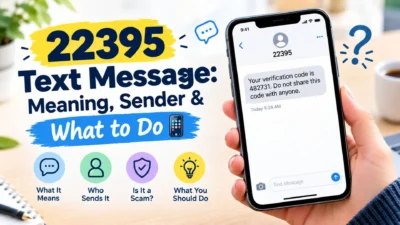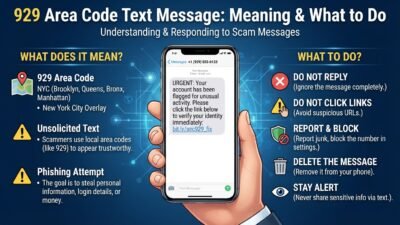
Have you noticed a 2300 text message on your phone or mobile usage history and wondered where it came from? Seeing an unfamiliar number can be confusing, especially when you do not remember sending a message to that number.
In many cases, 2300 is not a normal phone number belonging to another person. T-Mobile users have reported seeing 2300 entries connected with multimedia messaging activity, including pictures, screenshots, GIFs, and group conversations.
However, the exact meaning can depend on where you see the number and what type of activity was happening on your phone. A 2300 entry may look unusual in your usage log even though it relates to an ordinary message or multimedia interaction.
This guide explains what a 2300 text message can mean, why it may appear, and what you should check if you are unsure about an entry.
What Is a 2300 Text Message?
A 2300 text message usually refers to an entry associated with the short code 2300 in mobile messaging or usage records.
For some T-Mobile users, community reports connect 2300 with multimedia messaging activity rather than a typical person-to-person text. This can include sending or receiving pictures, screenshots, or GIFs, as well as multimedia activity inside group messages.
This is why the number may appear in your usage history even when you cannot find a regular conversation with a contact named “2300.”
A 2300 entry may be related to:
- 🖼️ Sending a picture message
- 📸 Sending or receiving a screenshot
- 🎞️ Sharing a GIF
- 👥 Participating in a group conversation
- 💬 Receiving multimedia content
- 👍 Certain reactions or multimedia activity in a group message
The important point is that seeing 2300 does not automatically mean that someone sent you a personal message from a mysterious phone number.
Why Does 2300 Appear in My Message History?
Your phone’s messaging app and your carrier’s usage records do not always display information in exactly the same way.
A normal conversation may involve several behind-the-scenes network processes. As a result, the number shown in a detailed usage record may not match the contact or conversation you recognize on your phone.
T-Mobile community reports specifically describe 2300 entries appearing when users send or receive pictures, screenshots, or GIFs, including multimedia shared within group messages.
For example, you might:
- Send a photo to another person.
- Receive a screenshot from a friend.
- Share a GIF in a group chat.
- Receive a photo inside a group conversation.
- Participate in a group message where someone reacts to multimedia.
Later, you may notice a 2300 entry in your usage history and wonder what happened.
In that situation, the entry can simply be connected to the multimedia messaging activity rather than a separate conversation.
2300 Text Message on a T-Mobile Account
The term 2300 text message is especially common in searches involving T-Mobile usage records.
T-Mobile Community discussions include reports from customers who noticed 2300 in their incoming or outgoing message logs. One marked solution explains that the code can appear when users receive or send pictures, screenshots, or GIFs, or when multimedia is shared in a group message.
That means the number can look strange if you are checking your account line by line.
For example, your phone may simply show:
- A conversation with a family member
- A picture sent inside that conversation
- A 2300 entry in the detailed usage history
These can be related to the same messaging activity even though the displays look different.
Because carrier systems can change, it is still sensible to check your own account details if an entry does not match anything you recognize.
Does 2300 Mean Someone Texted Me?
Not necessarily.
Seeing 2300 in a usage log does not by itself prove that a person directly texted you from that number. Community reports connect the code with multimedia messaging activity, including photos, screenshots, GIFs, and group conversations.
This distinction matters because a usage record can contain technical information that is not presented as a normal chat conversation.
If you are confused by an entry, look at the activity around the same time. Check whether you:
- Sent or received a picture
- Shared a GIF
- Participated in a group text
- Received multimedia content
- Sent a screenshot
- Had a reaction or other multimedia interaction
These details may help explain why 2300 appears.
Is a 2300 Text Message Something to Worry About?
Usually, the number alone is not enough to conclude that something is wrong.
If 2300 appears alongside normal multimedia activity, such as a picture or group message, it may simply correspond with that messaging activity. T-Mobile community reports provide several examples of this association.
Still, it is reasonable to investigate anything on your account that you genuinely do not recognize.
Check:
- Your messaging conversations
- Your detailed usage history
- Any unexpected charges
- Group conversations you recently joined
- Your carrier account activity
If something still does not make sense, contacting your mobile carrier through its official support channels is the safest way to get account-specific information.
2300 Text Message and Multimedia Messages
One reason the 2300 code causes confusion is that multimedia messages work differently from simple text-only messages.
A multimedia message can contain content such as:
- Photos
- Screenshots
- GIFs
- Videos
- Other media shared through a group conversation
T-Mobile Community users have specifically reported 2300 entries in connection with pictures, screenshots, GIFs, and group messages.
So, if you recently sent a funny GIF to your group chat and later noticed 2300 in your usage history, the two events may be connected.
The number itself does not tell you the complete story. The surrounding account activity provides the useful context.
How to Check a 2300 Text Message
If you notice 2300 in your message or usage history, checking the activity around the same time can often provide useful clues.
Start by opening your recent conversations and looking for multimedia activity. A photo, GIF, screenshot, or group message may explain why the number appears in your carrier records.
You can also check:
- The date and time of the 2300 entry
- Messages sent or received around that time
- Recent group conversations
- Pictures or GIFs shared recently
- Your carrier’s detailed usage information
- Any charges connected with the activity
If everything matches a message you remember sending or receiving, there may be nothing unusual about the entry.
Why 2300 May Appear Instead of a Contact Name
A carrier usage record is designed to document messaging activity, so it may not look the same as your regular messaging app.
Your phone might show a person’s name, while the carrier record can display a short code or technical identifier instead.
This can make a normal conversation appear confusing when you review your account later.
For example:
- Your messaging app shows a conversation with a friend.
- Your friend sends a picture.
- The picture is processed as a multimedia message.
- Your carrier usage history records the related activity differently.
- You notice 2300 and assume it is a separate text.
T-Mobile Community reports have linked 2300 with picture messages, screenshots, GIFs, and group-message activity.
Does 2300 Send Messages to Your Phone?
Seeing 2300 in your account does not necessarily mean that you have an ordinary conversation with a sender using that number.
The appearance of a short code in a carrier record can have a different purpose from a regular phone number.
If you actually receive a message that displays 2300 as the sender, look at the message content before taking action. Do not automatically assume that every unexpected short code is connected to a problem.
You can also compare the message with your carrier usage history.
Pay attention to:
- The message’s date and time
- The content of the message
- Whether it contains multimedia
- Whether it appeared during a group conversation
- Whether a related activity appears in your account
This approach gives you more context than looking at the number alone.
2300 Text Message in Group Chats
Group conversations are another reason a 2300 entry can be confusing.
A group chat may contain several types of activity at once. Someone might send a photo, another person might respond with a GIF, and someone else might send a screenshot.
T-Mobile Community reports specifically mention group messages when discussing 2300 entries associated with multimedia activity.
If you recently participated in an active group conversation, check that chat before assuming the 2300 entry represents an unknown sender.
Look for:
- Photos shared by group members
- GIFs posted in the conversation
- Screenshots
- Other multimedia
- Messages received around the same timestamp
The timing can be particularly helpful when you are trying to connect a carrier record with something that happened in your messaging app.
2300 Text Message and Picture Messages
Picture messaging is one of the most commonly reported explanations for 2300 entries.
Unlike a simple text containing only words, a picture message includes media. Carrier records may therefore represent the activity differently from the way it appears inside your messaging application.
If you see 2300 after exchanging photos, compare the timestamps.
For example, if you:
- Send a photo at 2:15 PM
- Receive a photo shortly afterward
- Notice a 2300 entry around the same period
the timing may help explain the record.
This does not mean every 2300 entry has exactly the same cause. Your carrier account remains the best source for information about your specific line.
2300 Text Message and GIFs
GIFs can also create confusion when checking detailed message records.
A GIF may look like a simple part of a conversation on your phone. However, it involves multimedia rather than plain text.
T-Mobile Community users have reported 2300 entries in connection with GIF activity as well as other multimedia messages.
So, if you recently shared reaction GIFs with friends, check those conversations before assuming that 2300 represents an unknown person.
What Should You Do If You Don’t Recognize 2300?
If you cannot connect the entry with a picture, GIF, screenshot, or group conversation, take a closer look at your account.
You do not need to panic simply because an unfamiliar short code appears.
Instead:
- Check the exact date and time.
- Review nearby messages.
- Look through recent group chats.
- Check whether multimedia was exchanged.
- Review your carrier’s detailed usage information.
- Look for unexpected account activity or charges.
- Contact your carrier if the entry remains unexplained.
Your carrier can check account-specific records that are not visible from a general web search or messaging app.
Can 2300 Be a Scam?
The appearance of 2300 by itself does not establish that a message is a scam.
A short code can be associated with legitimate messaging or carrier activity, and T-Mobile community reports have connected 2300 with multimedia messaging.
However, you should evaluate the content of an unexpected message separately from the number displayed.
Be cautious if a message:
- Asks for passwords or verification codes
- Requests financial information
- Contains a suspicious link
- Creates unnecessary urgency
- Claims you have won an unexpected prize
- Asks you to provide sensitive personal information
Do not share sensitive information simply because a message uses a familiar-looking short code.
If you are unsure about a suspicious message, verify the claim through the company’s official website or another trusted contact method rather than using a link or phone number provided in the message.
Is 2300 a Regular Phone Number?
No, 2300 does not look like a standard US 10-digit phone number.
It is a short code consisting of four digits. Short codes can be used for various messaging-related purposes, so their appearance can differ from typical person-to-person phone numbers.
That distinction is important when you are checking your usage history.
If your carrier displays 2300 alongside messaging activity, do not automatically treat it like an unknown four-digit personal phone number.
Instead, consider the surrounding information, including the type of message and the time it was recorded.
2300 Text Message: Quick Explanation
If you only want the short answer, a 2300 text message entry may be associated with multimedia messaging activity, particularly according to reports from T-Mobile Community users.
Reported examples include:
- Picture messages
- Screenshots
- GIFs
- Group messages
- Other multimedia activity
The exact reason for an entry can depend on your carrier and account activity, so the number alone should not be treated as a complete explanation.
Best Ways to Handle an Unfamiliar 2300 Text Message
An unfamiliar message entry can be easy to overthink, especially when the number does not look like a normal contact.
The simplest approach is to check the surrounding information first. Look at the time, message type, recent conversations, and account activity before assuming there is a problem.
These steps can help:
- Check your recent text and group conversations.
- Look for photos, GIFs, screenshots, or other media.
- Compare the message time with your carrier’s usage record.
- Review your account for unexpected charges.
- Avoid clicking suspicious links in unexpected messages.
- Contact your carrier if the entry still cannot be explained.
T-Mobile Community reports have associated 2300 entries with multimedia and group-message activity, but your carrier can provide the most accurate explanation for your individual account.
Best Messages for Captions
If you are creating a social post about receiving an unexpected message or discovering an unfamiliar number, these short captions can work well.
- “When a random number suddenly appears in your message history. 📱”
- “Just checking my messages and wondering, what is 2300?”
- “That moment when your phone history raises a question.”
- “Not every unfamiliar number is a mystery worth worrying about.”
- “Checking the details before jumping to conclusions.”
- “A strange number, a simple explanation.”
- “When your carrier log looks more confusing than your inbox.”
- “2300 appeared, so naturally I had questions. 😅”
- “Sometimes the message history tells a different story.”
- “Before you panic, check the messages around it.”
Copy-Paste Ready Messages
These simple messages can help when you want to ask someone about an unfamiliar messaging entry.
- “Hey, do you know what the 2300 message entry means?”
- “Did you recently send me a picture or GIF? I noticed a 2300 entry.”
- “I saw 2300 in my message history. Did anything happen in our group chat around that time?”
- “Do you remember sending a screenshot earlier? I’m checking my message history.”
- “I noticed an unusual entry in my carrier log and wanted to check if you sent something.”
- “Was there a picture or GIF shared in the group earlier?”
- “I’m checking my recent messages. Did you send anything around that time?”
- “Do you know why 2300 might appear in a message log?”
- “I found an unfamiliar entry and I’m just trying to match it with my recent messages.”
- “Can you check whether you sent a photo or GIF around that time?”
Frequently Asked Questions About 2300 Text Message
What does a 2300 text message mean?
A 2300 entry can be associated with multimedia messaging activity. T-Mobile Community reports specifically mention pictures, screenshots, GIFs, and group messages in connection with 2300 entries.
Is 2300 a normal phone number?
2300 is a four-digit short code rather than a standard US 10-digit phone number. Its appearance in a carrier record should therefore not automatically be interpreted as a normal personal phone number.
Why do I see 2300 in my T-Mobile message history?
T-Mobile Community users have reported seeing 2300 entries around multimedia activity, including picture messages, screenshots, GIFs, and group conversations. Checking the messages around the same date and time can help identify the related activity.
Does 2300 mean someone is contacting me?
Not necessarily. An entry in a carrier usage record does not automatically mean that a person directly contacted you from that number. Check the message content and surrounding activity for more context.
What should I do if I do not recognize a 2300 entry?
Review your recent conversations, group chats, multimedia messages, and carrier usage details. If you still cannot explain the entry, contact your mobile carrier through an official support channel.
Conclusion
Seeing a 2300 text message entry can certainly be confusing when you do not recognize the number. However, the number alone does not tell the whole story. Reports from T-Mobile Community users connect 2300 with multimedia activity such as pictures, screenshots, GIFs, and group messages.
If you notice 2300 in your history, start by checking what happened around the same time. A recent photo, GIF, screenshot, or group conversation may provide the missing context.
It is also useful to remember that carrier records can display messaging activity differently from your regular messaging app. Therefore, an unfamiliar entry does not automatically indicate a problem.
If the activity still looks unusual, review your account carefully and contact your carrier for account-specific clarification.
Save this guide if you ever come across an unfamiliar messaging entry again. Sometimes, a confusing number has a much simpler explanation than it first appears.

Ryan Mitchell is a professional content writer who specializes in creating heartfelt messages, wishes, greetings, and inspirational quotes for every occasion. He is passionate about helping readers express their thoughts and emotions through meaningful, engaging, and easy-to-share content.